Build a Stellar Digital Portfolio for Students: Your Future Starts Now

A man standing against a wall holding a briefcase and documents, dressed in casual business attire.Photo: Felicity Tai / Pexels

Build a Stellar Digital Portfolio for Students: Your Future Starts Now

Transform your academic achievements and creative projects into a compelling online showcase that opens doors to success.

Start Your Digital Portfolio

Key Takeaways

  • ✓ 93% of employers consider a candidate's online presence when making hiring decisions.
  • ✓ Digital portfolios increase a student's chances of admission to competitive programs and scholarships.
  • ✓ Showcasing work digitally allows for multimedia integration (video, audio, interactive elements).
  • ✓ A well-curated digital portfolio demonstrates initiative, organization, and technical proficiency.

How It Works

1
Define Your Purpose & Audience

Before building, identify what you want your portfolio to achieve (e.g., job applications, college admissions, showcasing creative work) and who will be viewing it. This clarity guides content selection and design choices.

2
Gather Your Best Work & Artifacts

Collect all relevant projects, assignments, awards, internships, volunteer experiences, and even personal achievements. Digitize physical items and organize digital files for easy access and selection.

3
Choose Your Platform & Design

Select a platform that suits your technical skill level and portfolio goals (e.g., dedicated portfolio sites, personal websites, LinkedIn). Design a clean, intuitive layout that highlights your strengths and is easy to navigate.

4
Curate, Reflect, & Refine

Don't just dump everything in; select only your strongest, most relevant pieces. For each item, add a brief description and a reflection explaining your role, what you learned, and the impact. Regularly update and get feedback.

Why Every Student Needs an Online Student Portfolio

Close-up of a person reviewing charts and reports in an office setting.Photo: RDNE Stock project / Pexels
In today's competitive academic and professional landscape, a traditional resume or transcript alone often isn't enough to stand out. An online student portfolio, also known as an e-portfolio, provides a dynamic and comprehensive way to showcase your skills, experiences, and achievements beyond static documents. Think of it as your personal online exhibition, where you can bring your academic journey to life. Unlike a paper folder, a digital portfolio for students allows for multimedia integration, meaning you can include videos of presentations, audio recordings of musical performances, interactive coding projects, or even 3D models of design work. This rich media capability offers a much deeper insight into your capabilities and personality, making a lasting impression on admissions officers, scholarship committees, and potential employers. Moreover, a well-crafted digital portfolio demonstrates initiative and a forward-thinking mindset. It signals to viewers that you are tech-savvy, organized, and serious about presenting yourself professionally. It’s not just about what you've done, but how you present it. For instance, a beautifully designed portfolio showcasing your research papers, even if they are text-heavy, can be far more impactful than simply listing them on a resume. It tells a story of your growth, your learning process, and your unique contributions. This becomes particularly crucial when applying for specialized programs or creative fields where visual evidence of skill is paramount. Building and maintaining an e-portfolio also hones valuable skills in digital literacy, content curation, and personal branding, which are essential for success in the modern world. It's an investment in your future, providing a tangible asset that evolves with your educational and career path. To understand more about the broader concept of portfolios, you might find this resource on what a portfolio is helpful. Furthermore, a digital portfolio offers unparalleled accessibility. You can share a single link with anyone, anywhere in the world, at any time. This eliminates geographical barriers and allows for instantaneous review by multiple stakeholders. Imagine applying for an international scholarship; a digital portfolio ensures your work is seen exactly as you intend it, without the limitations of physical mail or file size restrictions on email attachments. It's a living document that you can update and refine as you acquire new skills and complete new projects, ensuring your professional online presence is always current and reflective of your best work. This continuous improvement aspect makes it an invaluable tool for self-assessment and demonstrating ongoing development.

Crafting Your Student E-Portfolio: Content & Curation

A group of diverse fashion designers collaborating on textile projects in a studio setting.Photo: Ron Lach / Pexels
The heart of any successful digital portfolio for students lies in its content and how meticulously it's curated. It's not about quantity, but quality and relevance. Begin by identifying your specific goals. Are you aiming for college admissions, an internship, or a first job? Your target audience will dictate the types of projects and achievements you highlight. For college applications, academic excellence, research projects, and extracurricular leadership will be key. For creative fields, showcasing artistic pieces, design projects, or multimedia work will take precedence. For internships, focus on projects demonstrating problem-solving, teamwork, and relevant technical skills. Once you have your goal in mind, start gathering your best work. This could include: academic papers, research projects, lab reports, coding projects, design mock-ups, art pieces, photography, video essays, presentations, awards and recognitions, certificates, volunteer experiences, club activities, and even personal creative writing. Don't forget to include testimonials or letters of recommendation if available. For each piece, provide context. What was the project's objective? What was your role? What skills did you utilize or develop? What was the outcome or impact? Use the STAR method (Situation, Task, Action, Result) to articulate your contributions clearly and concisely. Curate mercilessly. You don't need to include every single assignment you've ever completed. Select only the strongest, most representative pieces that directly support your portfolio's purpose. Aim for a diverse range of work that showcases different facets of your abilities. For example, if you're a budding engineer, include a CAD drawing, a coding project, and a report on a group design challenge. Ensure all content is high-resolution, well-organized, and easily accessible. Consider adding a 'About Me' section, a professional headshot, and a concise bio that highlights your aspirations and unique selling points. Your portfolio should tell a cohesive story about who you are, what you've accomplished, and where you're headed.

Choosing the Right Platform for Your Academic Portfolio
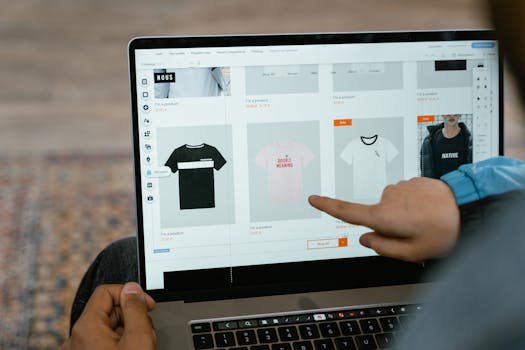
A person points to t-shirt options in an online store on a laptop screen.Photo: MART PRODUCTION / Pexels
Selecting the appropriate platform is a critical step in building an effective digital portfolio for students. The 'best' platform depends largely on your specific needs, technical comfort level, and the type of content you plan to showcase. There's a wide array of options, from simple drag-and-drop website builders to more specialized portfolio services. Understanding the pros and cons of each will help you make an informed decision. For those seeking simplicity and ease of use, platforms like Google Sites, Weebly, or Strikingly offer intuitive interfaces with pre-designed templates. These are excellent for students who want to quickly set up a professional-looking site without needing coding knowledge. They often come with free tiers, making them accessible to everyone. However, customization options might be limited, and the domain name may include the platform's branding. If you're looking for more creative control and a dedicated art or design focus, platforms such as Behance, Adobe Portfolio, or Cargo Collective are highly recommended. These are tailored for visual artists and designers, providing robust tools for showcasing images, videos, and graphic design projects with elegant layouts. Many of these integrate seamlessly with Adobe Creative Cloud subscriptions, offering a professional edge. You can explore more about different types of portfolios to see which one aligns best with your field. For students with some technical proficiency or those in fields like computer science or web development, building a portfolio on platforms like WordPress.org (self-hosted), GitHub Pages, or even a custom-coded site offers maximum flexibility and ownership. While these require a steeper learning curve, they provide complete control over design, functionality, and SEO. LinkedIn, while not a dedicated portfolio site, serves as an excellent complementary platform. Its 'Featured' section allows you to link directly to projects, publications, and external portfolio sites, acting as a professional hub for networking and discovery. Consider how easily your chosen platform allows for updates, mobile responsiveness, and integration with other online tools you use. The goal is a platform that empowers you to present your work beautifully and efficiently, making it easy for your audience to engage with your achievements.

Common Mistakes to Avoid & Pro Tips for Student Portfolios

Man editing photos on a laptop using a graphics tablet, set in an indoor workspace with camera equipment.Photo: Kawê Rodrigues / Pexels
Creating a digital portfolio for students can significantly boost your academic and career prospects, but several common pitfalls can diminish its impact. Avoiding these mistakes and implementing some pro tips will ensure your portfolio truly shines. **Common Mistakes to Avoid:** * **Including everything:** Resist the urge to upload every single assignment. Quality over quantity is paramount. Curate only your strongest, most relevant pieces that align with your portfolio's purpose. * **Lack of context:** Don't just display work; explain it. Without context (your role, challenges, solutions, learnings), your audience won't fully understand your contribution or the depth of your skills. * **Poor navigation:** A confusing or cluttered layout will deter visitors. Ensure your portfolio is intuitive, with clear menus and easy access to different sections. * **Outdated content:** A static portfolio quickly loses its value. Regularly update it with your latest achievements, skills, and projects to keep it fresh and relevant. * **Ignoring proofreading:** Typos and grammatical errors undermine your professionalism. Thoroughly proofread all descriptions and text. * **Non-mobile responsive design:** Many viewers will access your portfolio on mobile devices. Ensure it looks good and functions well on all screen sizes. * **No call to action:** What do you want your audience to do after viewing your portfolio? Include clear contact information, links to your LinkedIn profile, or a prompt to download your resume. **Pro Tips for a Standout Portfolio:** * **Tell a story:** Structure your portfolio to tell a narrative about your growth, passions, and aspirations. Your 'About Me' section is crucial for this. * **Focus on impact:** Instead of just describing what you did, explain the results or impact of your work. Use quantifiable metrics whenever possible (e.g., "Increased club membership by 20%" or "Optimized code, reducing processing time by 15%"). * **Personalize your domain:** If possible, use a custom domain name (e.g., yourname.com) for a more professional and memorable online presence. * **Get feedback:** Ask peers, mentors, or career advisors to review your portfolio. Fresh eyes can spot areas for improvement you might have missed. * **Optimize for search:** Use relevant keywords in your descriptions and titles, especially if your portfolio is public and you want it discovered by specific opportunities. * **Showcase soft skills:** While projects highlight hard skills, use your reflections and descriptions to subtly demonstrate soft skills like teamwork, problem-solving, communication, and adaptability. * **Integrate a blog:** For an even more dynamic portfolio, consider adding a blog where you can share insights, reflections, or updates on your learning journey. This positions you as a thought leader in your field.

Comparison

FeatureWordPress.com (Free)Adobe PortfolioGoogle SitesBehance
Ease of UseMediumEasyVery EasyEasy
CustomizationModerateHighLimitedLimited
Multimedia SupportExcellentExcellentGoodExcellent
CostFree (basic)Included with CCFreeFree
Domain OptionsSubdomainCustomSubdomainSubdomain
Target AudienceGeneralCreative ProsGeneralCreative Community
SEO FeaturesGoodGoodBasicBasic
AnalyticsBasicBasicGoodNone Built-in

What Our Readers Say

5 ★★★★★

"Creating a digital portfolio for my college applications was a game-changer. I included my robotics projects and research papers, and it really helped me get into my top-choice engineering program. It made my application feel so much more personal and comprehensive than just a transcript."

5 ★★★★★

"As a design student, showcasing my work visually is everything. Adobe Portfolio allowed me to present my graphic design projects beautifully. It was incredibly easy to set up, and I got an internship offer directly because of the quality of my online portfolio."

5 ★★★★★

"My digital portfolio helped me land my first job out of college. I linked to my coding projects and even a video of a presentation I gave. The hiring manager specifically mentioned how impressed she was with how I presented my skills and experiences online."

4 ★★★★☆

"I used Google Sites for my portfolio because it was free and easy. It served its purpose well for my scholarship applications, though I wish there were a few more design templates. Still, it was effective in showing my volunteer work and academic achievements."

5 ★★★★★

"Even as a high school student, building a digital portfolio for students has been invaluable. It helped me organize my extracurriculars and awards for summer programs, and I feel much more prepared for college applications. It's a great way to see my progress over time."

Frequently Asked Questions

What exactly is a digital portfolio for students?
A digital portfolio for students is an online collection of a student's best work, achievements, and experiences, presented in a visually engaging and organized format. It goes beyond a traditional resume or transcript by incorporating multimedia elements like videos, images, and interactive projects, offering a comprehensive view of their skills, talents, and personal growth.
Is a digital portfolio only for creative students?
Absolutely not! While creative fields benefit greatly from visual portfolios, a digital portfolio is highly valuable for students in all disciplines, including STEM, humanities, and business. It can showcase research papers, lab reports, coding projects, presentations, leadership roles, volunteer work, and even written reflections, demonstrating a diverse range of skills and experiences relevant to any field.
How do I choose what to include in my student e-portfolio?
Start by defining your portfolio's purpose (e.g., college applications, job search). Then, select your strongest and most relevant pieces of work that align with that goal and showcase a variety of your skills. For each item, include a brief description explaining your role, what you learned, and the impact or outcome. Focus on quality over quantity.
Are there free options for creating a digital portfolio?
Yes, many excellent free platforms are available. Google Sites, Behance, and basic plans on platforms like WordPress.com or Weebly offer robust features for creating a professional-looking digital portfolio without any cost. These are great starting points, though premium features or custom domain names might require a paid upgrade.
How is a digital portfolio different from a LinkedIn profile?
While both are online professional presences, a LinkedIn profile is primarily a networking platform and a professional resume. A digital portfolio is a dedicated showcase for your actual work, providing deeper context, visual evidence, and often more creative freedom in presentation. They complement each other, with your LinkedIn often linking to your detailed digital portfolio.
Who should use digital portfolio for students?
Every student, from high school to graduate level, can benefit from a digital portfolio. High school students can use it for college admissions and scholarships, while college students can leverage it for internships, graduate school applications, and entry-level job searches. It's particularly useful for those in fields requiring demonstrable skills, such as design, engineering, writing, or computer science.
Is it safe to put my personal projects online?
Generally, yes, but exercise caution. Avoid sharing highly sensitive personal information. When showcasing academic or work projects, ensure you have permission to share them, especially if they involve proprietary information or client work. You can also use password protection for certain sections or choose to share your portfolio link only with specific individuals.
What are future trends for student digital portfolios?
Future trends include more AI-powered tools for curation and personalization, increased integration with learning management systems (LMS) for seamless academic work transfer, and greater emphasis on demonstrating soft skills through reflective pieces and project narratives. Expect more interactive elements, VR/AR showcases for immersive experiences, and a stronger focus on data analytics to track portfolio engagement.

Don't let your hard work go unnoticed. Start building your powerful digital portfolio for students today and unlock a world of academic and career opportunities. Your future self will thank you!

Topics: digital portfolio for studentsonline student portfoliostudent e-portfolioacademic portfoliocareer readiness portfolio
Leo List
Brampton weed
Adultwork